
tl;dr: Use git rebase -i to compress ephemeral branches before merging them with a permanent branch.
If you’re like me, then you believe in branching early and branching often. So, you follow nvie’s git branching model,1 and for your sanity you use git-flow2 to help you do so. You also believe that the history of your permanent branches3 should be readable, not cluttered with embarrassingly candid commit messages from your most recent all-nighter.4 But, you also want to commit early and commit often,5 which makes it hard for your history to contain only atomic commits.6 Fortunately, you can make incremental commits and maintain a useful history by using rebase to “squash” your commits on ephemeral branches7 into a single commit retroactively before merging them into a permanent branch.
It’s as easy as git rebase -i!8 Let’s walk through an example of this workflow by starting a new feature branch, working on that feature, then merging it into develop when we’re done.
1. Start a new feature branch:
$ git flow feature start bar
Switched to a new branch 'feature/bar'

Summary of actions:
- A new branch 'feature/bar' was created, based on 'develop'
- You are now on branch 'feature/bar'

Now, start committing on your feature. When done, use:

    git flow feature finish bar

$
2. Code, test, and repeat until finished with your new feature:
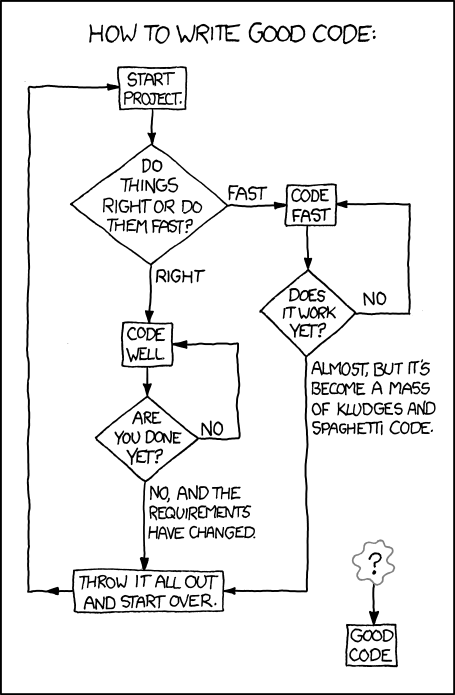 |
| XKCD: “Good Code” |
3. Once you’re finished developing, fetch upstream changes9:
$ git fetch origin
remote: Counting objects: 3, done.
remote: Compressing objects: 100% (3/3), done.
remote: Total 3 (delta 0), reused 0 (delta 0)
Unpacking objects: 100% (3/3), done.
From github.com:username/foo
    36e4b0f...ef3052b  develop    -> origin/develop
$
4. Begin an interactive rebase:
$ git rebase -i origin/develop
A file like this will open up in your default editor:
  1 pick a8297d5 add feature bar
  2 pick 6d2fd40 forgot some stuff
  3 pick 030c6af fix tests again
  4
  5 # Rebase a8297d5...12acefa onto a8297d5
  6 #
  7 # Commands:
  8 #  p, pick = use commit
  9 #  r, reword = use commit, but edit the commit message
 10 #  e, edit = use commit, but stop for amending
 11 #  s, squash = use commit, but meld into previous commit
 12 #  f, fixup = like "squash", but discard the commit's log message
 13 #  x, exec = run command (the rest of the line) using shell
 14 #
 15 # These lines can be re-ordered; they are executed from top to bottom.
 16 #
 17 # If you remove a line here THAT COMMIT WILL BE LOST.
 18 #
 19 # However, if you remove everything, the rebase will be aborted.
 20 #
 21 # Note that empty commits are commented out
“Pick” one commit and “squash” (“s”) the rest:
  1 pick a8297d5 add feature bar
  2 s 6d2fd40 forgot some stuff
  3 s 030c6af fix tests again
  4
  5 # Rebase a8297d5...12acefa onto a8297d5
  6 #
  7 # Commands:
  8 #  p, pick = use commit
  9 #  r, reword = use commit, but edit the commit message
 10 #  e, edit = use commit, but stop for amending
 11 #  s, squash = use commit, but meld into previous commit
 12 #  f, fixup = like "squash", but discard the commit's log message
 13 #  x, exec = run command (the rest of the line) using shell
 14 #
 15 # These lines can be re-ordered; they are executed from top to bottom.
 16 #
 17 # If you remove a line here THAT COMMIT WILL BE LOST.
 18 #
 19 # However, if you remove everything, the rebase will be aborted.
 20 #
 21 # Note that empty commits are commented out
After you exit the first file, your editor will open a new file where you can combine your commit messages however you see fit10:
  1 # This is a combination of 3 commits.
  2 #  The first commit's message is:
  3 add feature bar
  4
  5 #  This is the 2nd commit message:
  6
  7 forgot some stuff
  8
  9 #  This is the 3rd commit message:
 10
 11 fix tests again
 12
 13 # Please enter the commit message for your changes. Lines starting
 14 # with '#' will be ignored, and an empty message aborts the commit.
 15 # rebase in progress; onto a8297d5
 16 # You are currently editing a commit while rebasing branch 'feature/bar' on 'a8297d5'.
 17 #
 18 #  Changes to be committed:
 19 #     new file:    README
 20 #     new file:    main.py
 21 #
Let’s comment out everything except the first commit:
  1 # This is a combination of 3 commits.
  2 #  The first commit's message is:
  3 add feature bar
  4
  5 ## This is the 2nd commit message:
  6 #
  7 #forgot some stuff
  8 #
  9 ## This is the 3rd commit message:
 10 #
 11 #fix tests again
 12 #
 13 # Please enter the commit message for your changes. Lines starting
 14 # with '#' will be ignored, and an empty message aborts the commit.
 15 # rebase in progress; onto a8297d5
 16 # You are currently editing a commit while rebasing branch 'feature/bar' on 'a8297d5'.
 17 #
 18 #  Changes to be committed:
 19 #     new file:    README
 20 #     new file:    main.py
 21 #
Save your combined commit message to finish the rebase:
$ git rebase -i origin/develop
[detached HEAD a8297d5] add feature bar
 2 files changed, 8 insertions(+)
 create mode 100644 README
 create mode 100644 main.py
Successfully rebased and updated refs/heads/feature/bar.
$
5. Finish your feature branch with git flow:
$ git flow feature finish bar
Switched to branch 'develop'
Merge made by the 'recursive' strategy.
 README  | 3 +++
 main.py | 8 ++++++++
 2 files changed, 11 insertions(+)
 create mode 100644 README
 create mode 100644 main.py
Deleted branch feature/bar (was a8297d5).

Summary of actions:
- The feature branch 'feature/bar' was merged into 'develop'
- Feature branch 'feature/bar' has been removed
- You are now on branch 'develop'

$
6. Finally, push your changes to develop:
$ git push origin develop
Counting objects: 11, done.
Delta compression using up to 8 threads.
Compressing objects: 100% (3/3), done.
Writing objects: 100% (8/8), 483 bytes | 0 bytes/s, done.
Total 8 (delta 1), reused 0 (delta 0)
To git@github.com:username/foo.git
   ebe6f6c...db323c6  develop -> develop
$
This process may take be a bit of getting used to, but following it will give your repo a better commit log on its permanent branches.
Supplemental reading:
http://jeffkreeftmeijer.com/2010/the-magical-and-not-harmful-rebase/
http://davidwalsh.name/squash-commits-git
http://randyfay.com/content/rebase-workflow-git
http://ctoinsights.wordpress.com/2012/06/29/git-flow-with-rebase/
Notes:
1. http://nvie.com/posts/a-successful-git-branching-model/.
2. https://github.com/nvie/gitflow.
3. Develop & master, in nvie’s branching model.
4. E.g., “checkpoint for #3,” or, “did some more stuff,” or, “zomg it finally works :D”.
5. Can’t go losing that brilliant thing you did at 3am when you spill coffee on your dev machine at 6am!
6. I.e., commits which add exactly one unit of functionality.
7. All feature, bug, or release branches, in nvie’s branching model.
8. Which may not actually be easy; instead of handling merge conflicts at merge-time, you’ll have to handle them during the rebase. But, hey, at least merging will finally be easy!
9. Since want to tidy things up before we merge, we use git fetch rather than git pull because, “git pull is shorthand for git fetch followed by git merge FETCH_HEAD” (see: http://git-scm.com/docs/git-pull).
10. …unless there are merge conflicts during the auto-merging process, that is. As mentioned in a preceding note, if any conflicts do arise then you will first have to resolve them by hand in your editor. Once they’re resolved and committed, you’ll use git rebase –continue to resume the rebase. Eventually, you’ll get to the final commit-combination dialogue shown above.