Pick Our Brain

Open Source Contributions + Knowledge Sharing = Better World

  • Animating and Rendering Large Data Sets

    Share this post:
    : Animating and Rendering Large Data Sets

    Photo of eight-foot tall prints, with detail. Click for larger view.

    We were recently given the task of producing a series of animations and high resolution still images based on very dense 3D scan data from an archaeological dig siteThe site included four graves and their remains along with an artifact. The data from the site came to us in several pieces of varying and overlapping resolutions and source image quality. Surface textures were based on photogrammetry while the geometry was produced using multiple forms of 3D scanning.

    The biggest challenge to this project was the efficient management of the large amount of data involved. By the time this project was done, we had mostly filled a dedicated terabyte drive with its resources. The geometry consisted of eight data sets, most of them containing more than ten million polygons each. The majority of texture maps were sixteen thousand pixels square. Even with a very fast local network, plenty of Solid State Drive space, 64gigs of RAM and dual pro video cards in our graphics workstations, careful scene management was necessary.
    The source data consisted of a digital elevation map and aerial photography of the surrounding countryside, a point-cloud scan covering a few acres, 3D scans converted to polygonal geometry for the dig site along with separate, higher resolution scans of the interiors of each grave as well as scans of a reliquary found in one of the graves, both before and after restoration. Each piece of geometry had an associated high resolution surface texture generated through photogrammetry which were then manually cleaned and optimized. The fully assembled scene totaled over nine gigabytes of geometry and texture data.
    This may seem excessive, but we were dealing with scientifically accurate and historically significant data. The client wanted the resulting imagery to be as detailed and accurate as possible. The animations would go from aerial photography a thousand feet up, all the way down to within inches of human remains and artifacts. Still renders of entire individual graves would be printed life sized and would be scrutinized from inches away. We wanted to keep as much detail as possible, showing grains of sand, twigs, tiny cracks, along with conveying an understanding of layout of the site as a whole.

    We used Autodesk Maya as our primary animation tool for this job, along with Cinema 4D for the aerial photography element and DEM manipulation. Rendering was done with a mix of Autodesk’s Mental Ray and Chaos Group’s V-Ray on our render farm. The farm is a hybrid of in-house OS X machines along with a dynamically scaling cloud based system that runs a combination of Linux and Windows, depending on the required tool. The cloud farm is very small when idle, but can quickly scale up on demand. Our animation team is fortunate in having another team in our company that just happens to specialize in custom cloud computing solutions, networking and vast data storage and manipulation. They made this setup possible. Thanks guys!

    One of the problems we had not anticipated was how quickly even our fast network would become saturated when many render machines come on line, simultaneously requesting such large amounts of data. This seriously affects render efficiency when the bulk of the farm is figuratively twiddling it’s thumbs, waiting for the data it needs to get started. The dynamic scaling of our cloud farm is based on how busy the processors of the machines are over a given time period. This lead to a yo-yo effect where machines would be added to the farm as the base machines got busy, then pruned out of the farm because they weren’t actually doing anything as they waited for all the data to come in, then added back when the base machines showed they needed help, etc.

    One of the things we did to improve this situation was build an auto synchronizing mirror of our local render server in the same cloud space where the render machines reside. This did introduce a bit of a delay as local data synced to the cloud render server before a render could begin, but it eliminated a significant part of the bottleneck. As segments of a render are completed they are written first to the cloud server, then mirrored back to our local network. Our render farm management tool includes options to throttle the number of machines that can request data at once, but that reduces the speed and efficiency to some extent. A new, higher speed cloud storage system is in testing now, and should completely eliminate the problem once it is more widely available.

    Highest vs. Lowest resolution geometry. Click for larger view.
    On the actual animation and render side of things, we built multiple resolution sets of data, from full resolution down to about 1/10 resolution, along with intermediate versions as necessary. The scene was built with simple reference objects that could be easily swapped in and out at different resolutions as required. This made the interactive process of lighting and animation go smoothly, using only low resolution geometry and textures for initial setup. For the most part, the highest resolutions were not necessary for the animation sequences, except for when the camera got very close to the surfaces. This also made it possible to send jobs to the render farm in smaller parts, reducing the amount of data sent back and forth and increasing efficiency. For animation, it’s a fairly straight forward process to send sets of individual frames to each machine on the farm for rendering. For the very large still images, each image was broken into 256 tiles and those tiles were individually sent to render on different machines on the farm. After all the tiles are rendered, a separate process assembles them into the final composite image.
    The extremely large size of some of the print renders pushed the limits of commercial digital image creation and editing tools. Usually when printing a wall sized image it is intended to be viewed from at least several feet away, so the amount of information per square inch can be relatively low. In this case, however, we wanted viewers to be able to walk right up to the prints, look closely from inches away and see all the details as if they were looking at the actual object. Standard file formats like Photoshop’s .psd and the tried and true .tif were not capable of holding all the information in these images. Fortunately Adobe has a less common format, the .psb or Large Document Format that can hold many times the information as the standard Photoshop document. In addition to Adobe’s format, we used the open source OpenEXR file type for animation output. This is a format designed for digital effects production by Industrial Light and Magic and updated in 2013 in conjunction with WETA Digital. It can handle multilayered, high dynamic range images with and without compression and with practically limitless resolution, along with lots of other useful image information. There are plugins available that allow most professional editing tools to read and write OpenEXR.
    Lastly, there’s the physical side of all of this. In our current, relatively high-speed internet connected world, we have gotten used to sending information nearly instantly with the click of a mouse, even for large images, videos and animations. That was not possible for this project. Test images and sample renders could be sent for review electronically, but for final delivery the only practical solution was to physically hand deliver a terabyte hard drive.
    Ultimately, the client was delighted with the final imagery and animation. Their research announcement got wide distribution and high visibility around the world through many media outlets. 


    The client attributed at least some of that success to having compelling imagery to go along with the story. This project pushed our technical abilities to new levels, with very satisfying results.

  • Docker-1.3 makes OS X feel native without hacks

    Share this post:
    : Docker-1.3 makes OS X feel native without hacks

    We’ve been coming up to speed with Docker, planning to use it for deployments on AWS and GCE.

     I’ve tried it before and gotten a bit frustrated with the disconnect between my daily driver — a MacBook laptop — and the docker server; the cool kids running Linux laptops have no such issues. While boot2docker is of course a huge help, I had problems.  It wasn’t running like the docs said it would, it asked for a password when bringing it up; something was seriously hosed.

    Some of these turned out to be ancient installations of docker, so recently I used brew to remove them and reinstall current versions.  It took me a while to realize that my VM was running an old ~/.boot2docker/boot2docker.iso, so I removed it too and did the brew reinstall again. Even better.

    Background: boot2docker for OS X

    Folks running Linux run the docker server natively, but it doesn’t run native on OS X, so boot2docker was created. It runs a small VM inside VirtualBox which acts as the docker server. The ‘docker’ command can then communicate with it via a UNIX socket and we can reach it with TCP. This extra distance is what complicates things for OS X users and docker-1.3 makes this much more transparent.

    Docker-1.3 wins

    Chris Jone’s “How to Use Docker on OS X: The Missing Guide” has been very helpful but it was written a whopping 3 months ago. With the release of docker-1.3, some of the hacks Chris had to do are no longer needed. And these are a BFD for me!

    After starting up boot2docker:

    boot2docker init
    boot2docker up

    it tells us to set some environment variables; just do it:

    DOCKER_HOST=tcp://192.168.59.105:2376
    DOCKER_TLS_VERIFY=1
    DOCKER_CERT_PATH=/Users/chris/.boot2docker/certs/boot2docker-vm

    That HOST address and port will change if you restart your boot2docker.

    So lets get into the big win caricatured in the release’s graphic.

    In the sections below, I’m creating then running a container “webvol2” which pulls from DockerHub the standard “nginx” image. I want to mount a section of my local filesystem in the container so I can easily update the content HTML serves. Finally, I want a way to get into the container and look around to verify the volume is as expected.

    Mount local OS X volumes in the container

    I’ve been feeling like a second-class citizen, compared with my Linux brethren: they could mount local filesystems in their containers. This made it super-easy to — for example — develop web content locally and test it served by a docker-resident application, without resorting to building new images with ADD or COPY in Dockerfiles.  
    There’s a great discussion on GitHub about how best to accommodate this on OS X, and happily, it was resolved on October 16 with the docker-1.3 release.  This is huge: I no longer covet my neighbor’s laptop. Check it out, “it just works”:
    ★ chris@Vampyre:~$ docker run -d -P –name webvol2
       -v /Users/chris/virtual/docker/html:/usr/share/nginx/html nginx

    f985f7dc574ce8228c96c64dac769f6123411849330748f3dd2dce4d7daf9ef3
    The above mounts a docker-related directory under my home as a volume on the container. In this case, it’s shadowing the one that was originally installed by Nginx; exactly what I want.

    Get a shell in the container

    Lots of folks want visibility into their containers but you have to do this manually. Some folks include an ssh server in their Dockerfile images, but this bloats the image and may pose a security risk.  Chris used ‘nsenter’ and a neat shell script to get access. That’s no longer necessary; now it’s trivial:

    ★ chris@Vampyre:~$ docker exec -i -t webvol2 /bin/bash
    root@f985f7dc574c:/# cat /usr/share/nginx/html/index.html
    Hello docker

    Whoa, that’s nice. I CAN HAZ SHELL and can verify my laptop’s directory is available as a volume that Nginx can serve.

  • Why Use MP4?

    Share this post:
    : Why Use MP4?

    MPEG-4 Part 14 or MP4 is a digital multimedia format which acts like a wrapper for video and audio files. One huge benefit of MP4 is that the format allows for using different video codecs, such as h.264, which allow for better compression while still providing high quality video/audio but smaller file sizes. Smaller file sizes in turn allow better results when streaming content over the Internet.

    MP4 – it does the trick for all occasions.

    Aside from file size, why use .mp4 as the wrapper of choice for video files on the web? The answer is simple. MP4 files do not require proprietary software to be played by an end user. Video files that use the MP4 wrapper can be played cross platform and can viewed using any number of popular video players. Another benefit of MP4 files is their ability to play on mobile devices without relying on proprietary video players. Additionally, mainstream media players such as Windows Media Player and Quicktime can play the files natively and they do not require any plugin downloads.

    For web designers, using MP4 allows the use of simple code to add HTML5 players to integrate into any website. Some may ask, what about HTML4? The answer is, the future. Again we point to modern browsers that support the progressive development of HMTL5 while still providing support for older standards. By using the <video> tag a basic player can be added to a page without using old standards which call for object ids and allow for the MP4 file to be play natively in modern browsers.  Below is an example of the code needed to add video to a web page.

    
    <video width="400" controls>
    
      <source src="your_video_file.mp4" type="video/mp4">
    
      Your browser does not support HTML5 video.
    
    </video>


    So, why use MP4? Again, the answer is simple. The file format allows for greater viewer access across PC platforms, modern browsers (Internet Explorer 9+, Firefox, Opera, Chrome, and Safari) and mobile devices while making it easier for designers to complete sophisticated web sites and interfaces.


    Bonus for your viewing pleasure: “Bimbo’s Auto”


    Your browser does not support HTML5 video.

  • V! Team Receives an Award from NASA

    Share this post:
    : V! Team Receives an Award from NASA
    Congratulations to the V! Studio’s EDRD Team!
    V! Studios received an award from the NASA Extra Vehicular
    Activity (EVA) Office for creating the EVA Drawing Repository Dashboard (EDRD)
    Demo. The Office of the CIO commented “You guys deliver!” The Demo is a Proof of Concept to enable real-time access to EVA data
    during missions. NASA pursued the project as a result of an incident during a
    space walk in 2013.
    The award reads:
    “In recognition of successfully completing the Proof of
    Concept demonstrating easy access to EVA data. The system will enhance
    real-time mission decision making which will ensure astronaut safety during
    EVA’s.”
    The patch affixed to the award represents the EVA Team and
    was flown aboard the Space Shuttle Atlantis on its final servicing mission to
    the Hubble Space Telescope during STS-125, May 11-24, 2009.

  • Going in the Deep End

    Share this post:
    : Going in the Deep End

    Thoughts after using Go on a few projects.

    We have been Wading into Go on some projects recently. In fact we have been using it on small and throw away projects for a while. We first used Go in anger to manage transfering and updating ~500,000 unique files (~1TB total) from an EBS volume to S3.
    It was my first code in Go so it isn’t pretty. I am also not sure what the likelihood of it working now are as it used a fork of goamz. The fork was absorbed into central (hah) fork of goamz, but YMMV. The take away is that Go did made dealing with a massive number of files during a large scale migration practicable and I would definitely choose it again.
    Missing Go SDK for AWSNB: A first class AWS SDK for Go would be awesome. This is definitely the missing tooth in a smile.
    During that same project migrated a large number of vanity URL redirects. As part of the move there was a rule; if a redirect hasn’t been reviewed in more than 2 years, get rid of it. We had no way to know when rules had last been reviewed. They were stored as apache rules across a dozen servers. So the order was given that redirects had to have a “last reviewed” date. We used Go again to build an in memory redirect server with custom “Last reviewed” headers.
    Most recently we have been using Go to write the backend API for an app powered by angularjs on the client side. This our first project which leverages GAE and is expected to have sufficient complexity and lifespan to warrant first class testing. The rest of this post discusses what warts we’ve seen when we got up close and how we have worked around them.

    Testing

    Testing with Go is a pleasant experience. Go’s standard library ships with a testing package that should feel familiar to most programmers. It is admittedly missing some convenience items like assertions, but that does not have much impact. Many coming from dynamic languages might think this is an ugly feature. However, it is easy enough to include a few of your own.
    I have been including the three following functions for testing. I stole them from@benbjohnson’s article. Well really from his Github repo. The only change I made was to make equals use “want”/”got” instead of “act”/”exp” and to change the argument signature and logging order to match Go’s conventions. Here are those three functions: assert, equals, and ok.
    assert fails with msg if condition is false.
    func assert(t testing.TB, condition bool, msg string, v ...interface{}) {
        if !condition {
            _, file, line, _ := runtime.Caller(1)
            fmt.Printf("33[31m%s:%d: "+msg+"33[39mnn", append([]interface{}{filepath.Base(file), line}, v...)...)
            tb.FailNow()
        }
    }
    
    ok fails if an err is not nil.
    func ok(t testing.TB, err error) {
        if err != nil {
            _, file, line, _ := runtime.Caller(1)
            fmt.Printf("33[31m%s:%d: unexpected error: %s33[39mnn", filepath.Base(file), line, err.Error())
            tb.FailNow()
        }
    }
    
    equals fails if got is not equal to want.
    func equals(t testing.TB, got, want interface{}) {
        if !reflect.DeepEqual(got, want) {
            _, file, line, _ := runtime.Caller(1)
            fmt.Printf("33[31m%s:%d:nntgot: %#vnntwant: %#v33[39mnn", filepath.Base(file), line, got, want)
            tb.FailNow()
        }
    }
    
    I use equals and ok far and away more often than assert. This makes tests very easy to reason about, i.e.:
    func TestUnmarshalXML(t *testing.T) {
        r := XMLWrap{}
        err := xml.Unmarshal([]byte(xmlData), &r)
        ok(t, err)
        equals(t, r.RootID, "anID")
        equals(t, r.RootValue, "aValue")
    }   
    
    Or in this table driven test:
    func TestReadConfig(t *testing.T) {
        testValues := []struct {
            key  string
            want interface{}
        }{
            {"a_string", "This is a string."},
            {"a_int", 123},
            {"a_float64", 123.456},
        }
    
        for _, tv := range testValues {
            got := Config[tv.key]
            equals(t, got, tv.want)
        }
    }
    
    Go also has two nice http test helpers hidden in net/http/httptest, ResponseRecorder and Server.
    ResponseRecorder provides an http.ResponseWriter which can be used to test an http handler or middleware. Following is an example testing a JSON not found handler. One passes in a ResponseRecorder to the function and verify what was written to it. Again equals and ok make it easy to reason about what is happening.
    func TestNotFound(t *testing.T) {
            r, err := http.NewRequest("DELETE", "http://pkg.test/testuri", nil)
            ok(t, err)
            w := httptest.NewRecorder()
            NotFound(w, r)
            equals(t, w.Header().Get("Content-Type"), "application/json")
            equals(t, w.Code, 404)
            equals(t, w.Body.String(), "{"Status":"Not Found","StatusCode":404,"RequestMethod":"DELETE","RequestURI":""}")
        }
    
    httptest.Server is also handy for integration tests. Take the following example which tests that a possible API client handles an HTTP error and doesn’t try to parse a non existent response. In this example we use the assert helper function rather than equals:
    func TestAClientCallError(t *testing.T){
        ts := httptest.NewServer(
            http.HandlerFunc(func(w http.ResponseWriter, r  *http.Request) {
                w.Header().Set("Server", "golang httptest")
                w.WriteHeader(http.StatusInternalServerError)
                return
            }))
        defer ts.Close()
    
        client, err := NewClient("SecretKey")
        ok(t, err)
        wrap := &XMLWrap{}
        err = client.APICall("some_data", ts.URL, wrap)
        assert(t, strings.Contains(err.Error(), "500 Internal Server Error"), "Unexpected response received.")
    }
    

    Google AppEngine

    Our current project targets Google App Engine (GAE) as its deployment platform. We decided to use GAE to eliminate the need to focus on which persistence and caching technologies to use, how to manage centralized logging, or how to scale. We could focus solely on our application. For the most part this has worked out well. GAE has first class Go support and has been a cinch to use. When we got up close and personal, however, we did notice another wart. This more with GAE than Go.
    huge warts

    The wart I couldn’t stop looking at was appengine.Context. In GAE you cannot use a vanilla http.Client. You must use the GAE provided transport from urlfetch.

    import (
        "fmt"
        "net/http"
    
        "appengine"
        "appengine/urlfetch"
    )   
    
    func handler(w http.ResponseWriter, r *http.Request) {
        c := appengine.NewContext(r)
        client := urlfetch.Client(c)
        resp, err := client.Get("http://example.com/api/call")
        if err != nil {
            http.Error(w, err.Error(), http.StatusInternalServerError)
            return
        }
        fmt.Fprintf(w, "API call returned status %v", resp.Status)
    }
    
    You can see that this creates a context from the incoming http.Request, which then is used to generate the http.Client. This means that you have to use an appengine.Context in your tests. Which, in turn, means starting dev_appserver.py — a python powered web framework. This isn’t particularly difficult:
    import (
        "testing"
    
        "appengine/aetest"
    )
    
    func TestAPICall(t *testing.T) {
        c, err := aetest.NewContext(nil)
        if err != nil {
            t.Fatal(err)
        }
        defer c.Close()
    
        client := urlfetch.Client(c)
        ...             
    }
    
    However, adding aetest.Context added ~3 seconds per test (on my notebook) — presumably to start up and shut down dev_appserver. That is untenable and a major hurdle to progress.
    We looked for ways to work around this and found a couple prospects. The first and most desirable, but not yet out of preview, would be to run our app in managed VMs on GAE. The second would be to use Go interfaces to allow us to avoid usingaetest.Context in our tests.

    Running Managed VMs in GAE

    Running our app in a managed VM on GAE would be ideal as we could use a generic http.Client. However, the service is still in preview mode.
    There are some differences with standard GAE deployment that are worth considering. None of these would be show stoppers for us, if not for the alpha/preview status. Even with the status it was worth taking a look to see if we could use vanilla ahttp.Client.
    To get started you have to sign up to create a managed VM GAE project.
    Once you get an email back letting you know that you are all set you can get you app uploaded. I’ll show a quick app I did to test using an http.Client without using the GAE urlfetch service. First you have to install appengine to your $GOPATH.
    go get google.golang.org/appengine
    
    Then we can put together an appropriate app.yaml and app.go file and upload them. app.yaml doesn’t vary much from the traditional one.
    # app.yaml
    application: test-vm-http2
    version: 1
    api_version: go1
    runtime: go
        # New knob
    vm: true
    
    manual_scaling:
      instances: 1
    # New knob
    vm_settings:
      machine_type: n1-standard-1
    
    - url: /.*
      script: _go_app
    
    See configuring managed VMs for more detailed information. Our very basic app will get html content from a remote source and fill in our response with it.
    package hellovm
    
    import (
        "fmt"
        "io/ioutil"
        "net/http"
    )
    
    func init() {
        http.HandleFunc("/", handle)
    }
    
    func handle(w http.ResponseWriter, r *http.Request) {
        if r.URL.Path != "/" {
            http.NotFound(w, r)
            return
        }
    
        resp, err := http.Get("http://example.com/")
        if err != nil {
            http.Error(w, err.Error(), http.StatusInternalServerError)
            return
        }
        defer resp.Body.Close()
        body, err := ioutil.ReadAll(resp.Body)
        if err != nil {
            http.Error(w, err.Error(), http.StatusInternalServerError)
            return
        }
        w.Header().Set("Content-Type", "text/html")
        fmt.Fprintf(w, "%s", body)
    }
    
    Viola! It serves without appengine.Context and works with a vanilla http.Client. You can see it if it is running when you read this. I don’t intend to run it forever as it costs real money for the smallest instance available as a managed VM.
    NB: While it works without appengine.Context that isn’t entirely desirable. It would still be required to access the Logging service and other appengine services such as the Datastore, Memcache, and Users. The important part is that it wouldn’t be necessary to test API client calls any longer. Alas, it is still in alpha. Lastly, there is no support for running a local dev server for apps targeting a managed VM deployment (or maybe that is coming,,too (To access this link you will need to sign up for the VM tested truster program or request access.)).
    That means we need to work around it another way…with an interface.

    Testing via an Interface

    To show how we use an interface lets first cover how we get the context into each of our handlers without having to repetitively call c := appengine.NewContext(r). What we do instead is make our handlers take the context as an argument and wrap them with an http.HandlerFunc us to serve up our handlers which don’t match the ServMux.HandleFunc signature.
    func init() {
        http.Handle("/foo", aeContext(handler))
        http.Handle("/another", aeContext(handlers.Another))
    }
    
    func handler(c appengine.Context, w http.ResponseWriter, r *http.Request) {
        fmt.Fprintf(w, "Hello, world! %s", config.Config["tms_api_key"])
    }
    
    // aeContext wraps handlers & injects the appengine.Context. This is
    // primarily to allow testing of handlers directly.
    type aeContext func(appengine.Context, http.ResponseWriter, *http.Request)
    
    // ServeHTTP allows aeContext to serve our handlers
    func (fn aeContext) ServeHTTP(w http.ResponseWriter, r *http.Request) {
        c := appengine.NewContext(r)
        fn(c, w, r)
    }
    
    The above snippet wraps our handlers with aeContext which is a HandlerFunc and implements ServHTTP appropriately. Our ServeHTTP method above creates a context from the incoming request and passes it in to our handlers. This is fine but means in order to test our handlers we have to create an aetest.Context to test them and that starts dev_appserver. Boo!
    We can hide the detail of the appengine.Context by defining an interface and implementing a “real” and a “test” version of that interface. This has been discussed a few places before. So our “Contexter” interface looks like this.
    // Contexter provides a way to use context. This exists primarily to allow for
    // testing without depending on aetest.Context. aetest.Context starts dev_appserver,
    // which makes tests take *forever*.
    
    // Contexter has the following methods:
    
    // GetHTTPClient, which returns an appengine-compatible HTTP client for a 
    // real use and a testing one for the Dummy context
    
    // Criticalf and Errorf, which wrap the appengine logging interface in a real
    // implementation and do nothing in the testing context
    type Contexter interface {
        GetHTTPClient() *http.Client
        // NB: We collect the other methods here to record what we need to implement. 
        // Anything we don't can just be an empty method. This ins't stricly 
        // necessary.
        Criticalf(format string, args ...interface{})
        Errorf(format string, args ...interface{})
        ...
    }
    
    Now that we have this we can change our HandlerFunc and ServeHTTP method to look like this.
    ...
        func handler(c appengine.Context, w http.ResponseWriter, r *http.Request) {
        fmt.Fprintf(w, "Hello, world! %s", config.Config["tms_api_key"])
    }
    
    // aeContext wraps handlers & injects the appengine.Context. This is
    // primarily to allow testing of handlers directly.
    type aeContext func(Contexter, http.ResponseWriter, *http.Request)
    
    // ServeHTTP allows aeContext to serve our handlers
    func (fn aeContext) ServeHTTP(w http.ResponseWriter, r *http.Request) {
        c := NewContext(r)
        fn(c, w, r)
    }
    ...
    
    Now we don’t have to provide a concrete Context, we only need to provide something that implements the Contexter interface. In the above example that is a “constructor”,  NewContext, that returns something that implements Contexter, which looks like this.
    // Context is a Contexter which wraps a real appengine.Context for
    // testing purposes (i.e., to avoid launching an instance of dev_appserver.py).
    type Context struct {
        // This is the real appengine.Context.
        c appengine.Context
    }
    
    // NewContext returns a new Context instance for production use.
    func NewContext(r *http.Request) Contexter {
        c := appengine.NewContext(r)
        return Context{c: c}
    }
    
    // GetHTTPClient returns an appengine-compatible http.Client.
    func (c Context) GetHTTPClient() *http.Client {
        return urlfetch.Client(c.c)
    }
    
    // Errorf logs to the underlying appengine.Context
    func (c Context) Errorf(format string, args ...interface{}) {
        c.c.Errorf(format, args...)
    }
    
    // Criticalf logs to the underlying appengine.Context
    func (c Context) Criticalf(format string, args ...interface{}) {
        c.c.Criticalf(format, args...)
    }
    
    Above, our real Context constructor, NewContext, gets a real appengine.Context and creates a Context with it. The logging methods log to the real Logging service. This works great and now allows us to pass in a dummy context when testing. Here is what our DummyContext looks like.
    type DummyContext struct {
    }
    
    // GetHTTPClient returns a dependency-free http.Client.
    func (c DummyContext) GetHTTPClient() *http.Client {
        return &http.Client{}
    }
    
    // errorf logs to the underlying appengine.Context
    func (c DummyContext) Errorf(format string, args ...interface{}) {
    }
    
    // criticalf logs to the underlying appengine.Context
    func (c DummyContext) Criticalf(format string, args ...interface{}) {
    }
    
    Above, our DummyContext uses a vanilla http.Client and just eats logs. So we can test against an httptest.Server as noted earlier in the “Testing” section rather than going through dev_appserver.
    func TestErrch(t *testing.T) {
        ts := httptest.NewServer(
            http.HandlerFunc(func(w http.ResponseWriter, r *http.Request) {
                w.Header().Set("Server", "golang httptest")
                w.WriteHeader(http.StatusInternalServerError)
                return
            }))
        defer ts.Close()
    
        ctxr := vtest.DummyContext{}
        client, err := NewClient(ctxr, "SecretKey")
        ok(t, err)
        wr := &XMLWrap{}
        err = client.Call("someData", ts.URL, wr)
        assert(t, strings.Contains(err.Error(), "500 Internal Server Error"), "Unexpected response received.")
    }
    
    Setting up and tearing down an httptest.Server still takes ~1 second (on my notebook) for each instance, but that is still an a lot faster than setup/teardown of dev_appserver. We will also look at setting up an httptest.Server with an http.ServeMux that handles all the test cases so we only need to setup one httptest.Server. Hopefully that will bring test times back down to a level where developers can do TDD.

    Conclusion

    While Go may have some warts of its own, they aren’t any uglier than warts in other languages. As we work out how to do things the Go way, it doesn’t always feel “right”, but that is because change is hard. Constructive feedback about any content in this post is very welcome. Please tell us what you think…

  • Better commit history: git flow + git rebase

    Share this post:
    : Better commit history: git flow + git rebase

    tl;dr: Use git rebase -i to compress ephemeral branches before merging them with a permanent branch.

    If you’re like me, then you believe in branching early and branching often. So, you follow nvie’s git branching model,1 and for your sanity you use git-flow2 to help you do so. You also believe that the history of your permanent branches3 should be readable, not cluttered with embarrassingly candid commit messages from your most recent all-nighter.4 But, you also want to commit early and commit often,5 which makes it hard for your history to contain only atomic commits.6 Fortunately, you can make incremental commits and maintain a useful history by using rebase to “squash” your commits on ephemeral branches7 into a single commit retroactively before merging them into a permanent branch.

    It’s as easy as git rebase -i!8 Let’s walk through an example of this workflow by starting a new feature branch, working on that feature, then merging it into develop when we’re done.

    1. Start a new feature branch:

    $ git flow feature start bar
    Switched to a new branch 'feature/bar'
    
    Summary of actions:
    - A new branch 'feature/bar' was created, based on 'develop'
    - You are now on branch 'feature/bar'
    
    Now, start committing on your feature. When done, use: 
    
        git flow feature finish bar
    
    $  
    

    2. Code, test, and repeat until finished with your new feature:

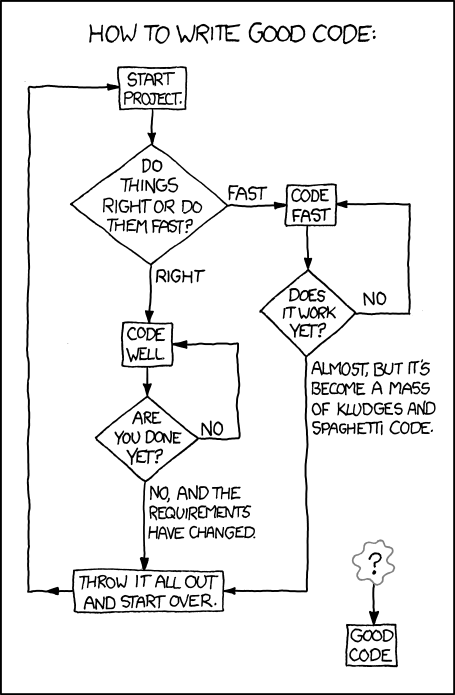
    XKCD: “Good Code”

    3. Once you’re finished developing, fetch upstream changes9:

    $ git fetch origin
    remote: Counting objects: 3, done.
    remote: Compressing objects: 100% (3/3), done.
    remote: Total 3 (delta 0), reused 0 (delta 0)
    Unpacking objects: 100% (3/3), done.
    From github.com:username/foo
        36e4b0f...ef3052b  develop    -> origin/develop
    $  
    

    4. Begin an interactive rebase:

    $ git rebase -i origin/develop
    

    A file like this will open up in your default editor:

      1 pick a8297d5 add feature bar
      2 pick 6d2fd40 forgot some stuff
      3 pick 030c6af fix tests again
      4
      5 # Rebase a8297d5...12acefa onto a8297d5
      6 #
      7 # Commands:
      8 #  p, pick = use commit
      9 #  r, reword = use commit, but edit the commit message
     10 #  e, edit = use commit, but stop for amending
     11 #  s, squash = use commit, but meld into previous commit
     12 #  f, fixup = like "squash", but discard the commit's log message
     13 #  x, exec = run command (the rest of the line) using shell
     14 #
     15 # These lines can be re-ordered; they are executed from top to bottom.
     16 #
     17 # If you remove a line here THAT COMMIT WILL BE LOST.
     18 #
     19 # However, if you remove everything, the rebase will be aborted.
     20 #
     21 # Note that empty commits are commented out
    

    “Pick” one commit and “squash” (“s”) the rest:

      1 pick a8297d5 add feature bar
      2 s 6d2fd40 forgot some stuff
      3 s 030c6af fix tests again
      4
      5 # Rebase a8297d5...12acefa onto a8297d5
      6 #
      7 # Commands:
      8 #  p, pick = use commit
      9 #  r, reword = use commit, but edit the commit message
     10 #  e, edit = use commit, but stop for amending
     11 #  s, squash = use commit, but meld into previous commit
     12 #  f, fixup = like "squash", but discard the commit's log message
     13 #  x, exec = run command (the rest of the line) using shell
     14 #
     15 # These lines can be re-ordered; they are executed from top to bottom.
     16 #
     17 # If you remove a line here THAT COMMIT WILL BE LOST.
     18 #
     19 # However, if you remove everything, the rebase will be aborted.
     20 #
     21 # Note that empty commits are commented out
    

    After you exit the first file, your editor will open a new file where you can combine your commit messages however you see fit10:

      1 # This is a combination of 3 commits.
      2 #  The first commit's message is:
      3 add feature bar
      4
      5 #  This is the 2nd commit message:
      6
      7 forgot some stuff
      8
      9 #  This is the 3rd commit message:
     10
     11 fix tests again
     12
     13 # Please enter the commit message for your changes. Lines starting
     14 # with '#' will be ignored, and an empty message aborts the commit.
     15 # rebase in progress; onto a8297d5
     16 # You are currently editing a commit while rebasing branch 'feature/bar' on 'a8297d5'.
     17 #
     18 #  Changes to be committed:
     19 #     new file:    README
     20 #     new file:    main.py
     21 #
    

    Let’s comment out everything except the first commit:

      1 # This is a combination of 3 commits.
      2 #  The first commit's message is:
      3 add feature bar
      4
      5 ## This is the 2nd commit message:
      6 #
      7 #forgot some stuff
      8 #
      9 ## This is the 3rd commit message:
     10 #
     11 #fix tests again
     12 #
     13 # Please enter the commit message for your changes. Lines starting
     14 # with '#' will be ignored, and an empty message aborts the commit.
     15 # rebase in progress; onto a8297d5
     16 # You are currently editing a commit while rebasing branch 'feature/bar' on 'a8297d5'.
     17 #
     18 #  Changes to be committed:
     19 #     new file:    README
     20 #     new file:    main.py
     21 #
    

    Save your combined commit message to finish the rebase:

    $ git rebase -i origin/develop
    [detached HEAD a8297d5] add feature bar
     2 files changed, 8 insertions(+)
     create mode 100644 README
     create mode 100644 main.py
    Successfully rebased and updated refs/heads/feature/bar.
    $  
    

    5. Finish your feature branch with git flow:

    $ git flow feature finish bar
    Switched to branch 'develop'
    Merge made by the 'recursive' strategy.
     README  | 3 +++
     main.py | 8 ++++++++
     2 files changed, 11 insertions(+)
     create mode 100644 README
     create mode 100644 main.py
    Deleted branch feature/bar (was a8297d5).
    
    Summary of actions:
    - The feature branch 'feature/bar' was merged into 'develop'
    - Feature branch 'feature/bar' has been removed
    - You are now on branch 'develop'
    
    $  
    

    6. Finally, push your changes to develop:

    $ git push origin develop
    Counting objects: 11, done.
    Delta compression using up to 8 threads.
    Compressing objects: 100% (3/3), done.
    Writing objects: 100% (8/8), 483 bytes | 0 bytes/s, done.
    Total 8 (delta 1), reused 0 (delta 0)
    To git@github.com:username/foo.git
       ebe6f6c...db323c6  develop -> develop
    $  
    

    This process may take be a bit of getting used to, but following it will give your repo a better commit log on its permanent branches.

    Supplemental reading:
    http://jeffkreeftmeijer.com/2010/the-magical-and-not-harmful-rebase/
    http://davidwalsh.name/squash-commits-git
    http://randyfay.com/content/rebase-workflow-git
    http://ctoinsights.wordpress.com/2012/06/29/git-flow-with-rebase/

    Notes:

    1. http://nvie.com/posts/a-successful-git-branching-model/.


    2. https://github.com/nvie/gitflow.


    3. Develop & master, in nvie’s branching model.


    4. E.g., “checkpoint for #3,” or, “did some more stuff,” or, “zomg it finally works :D”.


    5. Can’t go losing that brilliant thing you did at 3am when you spill coffee on your dev machine at 6am!


    6. I.e., commits which add exactly one unit of functionality.


    7. All feature, bug, or release branches, in nvie’s branching model.


    8. Which may not actually be easy; instead of handling merge conflicts at merge-time, you’ll have to handle them during the rebase. But, hey, at least merging will finally be easy!


    9. Since want to tidy things up before we merge, we use git fetch rather than git pull because, “git pull is shorthand for git fetch followed by git merge FETCH_HEAD” (see: http://git-scm.com/docs/git-pull).


    10. …unless there are merge conflicts during the auto-merging process, that is. As mentioned in a preceding note, if any conflicts do arise then you will first have to resolve them by hand in your editor. Once they’re resolved and committed, you’ll use git rebase –continue to resume the rebase. Eventually, you’ll get to the final commit-combination dialogue shown above.

  • Wading into Go

    Share this post:
    : Wading into Go

    From Python to Go

    We dove into Python years ago and now are wading into the Go language.
    Our team’s been using Python for a hells age, building applications in Plone, Django, Flask and Pyramid. It’s been very good to us and the communities are full of bright folks who are willing to share what they know.
    We’re now embarking on a couple projects where we want to decouple front-end from back-end, rendering from API, and we’ve got some 3rd party back-ends we need to talk to very quickly. For these apps, we’ve settled on an architecture with a responsive front-end powered by AngularJS talking to an API server written in Go. Why the switch to Go?
    One of our projects involves making lots of calls to a third-party back-end information service: to render the results of  a user query, the code typically has to make over 30 queries to a different endpoints, and these request/response cycles typically took about 1/8th second each.  Our initial Python-based API was single-threaded so it took almost 4 seconds to render the results page; not gonna make our users happy.
    We’ve poked at using gevent to get concurrency and that works in our development environment, but we’re deploying these apps in the cloud — Amazon Web Services (AWS) for one client and Google App Engine (GAE) for another.  We’re not comfortable that GAE can run the compiled code that gevent is built upon so we looked to Go to give us the concurrency we need.

    What I’m Liking

    Concurrency

    There are a number of other reasons why we’re interested in Go, but for this particular application, the concurrency features built into Go are compelling.
    Since concurrency (via “goroutines”) is built-in, it’s natural, feels right. Communication and synchronization via “channels” feels good too, light-weight, again, natural.  I’m still wrapping my head around how to use these idiomatically — the Effective Go doc has some examples that twist the way I normally think about coding. And that’s just fine, I need new ways to approach problems. I’m really looking forward to adopting these patterns.

    Compilation

    Before discovering Python at the last PyCon hosted in DC, I’d been coding in Java and doing multi-threaded C. While I like Python’s interpreted nature, Go’s compilation doesn’t bother me — it’s plenty fast.

    Compilation isn’t necessarily a “plus” in my book, but we expect to see speed-ups in our most intensive code. Perhaps more importantly, Go’s fast compilation allows other tools to work quickly, and that allows us to integrate them into our working process; see below on Editors.

    I also expect that a blob of compiled — complete with all its (versioned) dependency modules — will make deploying to platforms easier and more reliable: no worries about OS library version mismatches or missing language modules.

    All Mod Cons

    As a modern language, Go includes a bunch of built-ins that are well-suited to our typical programming projects. Support for JSON, XML and especially HTTP are excellent.  Sure, Python has urllib, urllib2, httplib, httplib2 (what was I saying about “more than one way to do it”?), but everyone really wants to use Kenneth Reitz’s requests library.   Go’s built-in HTTP support feels kinda like that, and even includes a template engine for text and HTML — perhaps obviating the need to bikeshed about Mako, Jinja2, Chameleon, et al.

    Format, Dammit!

    I’m
    definitely not a fan of the Perl-esque “there’s more than one way to do
    it” philosophy; there should be an obvious “right” way to do something,
    a preferred idiom.  This applies not only to language constructs and
    features, but something as prosaic as code format.  In Python, we had PEP-8 to guide us; it makes looking at other people’s code easier.
    I
    actually like Go’s fascist approach to code formatting: there’s only
    one way to do it.  The “go fmt” tool does it for you, so everyone’s code
    has the same look-n-feel.  Is this simply a way of destroying coders’
    inner Jackson Pollock? I don’t think so: I think it eliminates a major bikeshed that slows down programming teams. 

    Testing and Vetting

    Like other modern languages, Go emphasizes automated testing and provides tools to take away any excuses.  Charles and Reed whipped up this git pre-push hook that we’re using to check for improperly formatted files, vets it (like other languages’ “lint”), and then run our tests. It keeps us honest, with no extra work on our part.
    #!/bin/bash
    set -e
    unformatted=$(goimports -l -e .)
    if [ -n "$unformatted" ]; then
        echo >&2 "Go files must be formatted with goimports. Please run:"
        for filename in $unformatted; do
            echo >&2 "goimports -w $PWD/$filename"
        done
        exit 1
    fi
    echo "running go vet..."
    go vet ./...
    echo "...OK"
    echo "running go test..."
    go test -race ./...
    echo "...OK"

    Tools for Editors

    Of course decent code editors now have syntax highlighting and such for Go.  Lots of folks build other Go tools like “go fmt” into their code editor experience.  There’s lots of docs for doing documentation lookup, snippet inclusion, auto-completion, etc.  A casual look turns up plenty of ways to build these into Vim, Emacs, Sublime, as well as larger IDEs. 
    As I get into it, I’m adding these to my Emacs configuration, and will blog some notes about what I’ve done in a follow-up post.

    It’s not Perfect

    First, the name. It’s a nit, I know, but I feel like I’ve developed a stutter: every time I want to search for or tag something about Go, I have to say “go golang …”.
    I expect to miss Python’s “REPL” a lot; that allowed me to try things out and experiment. It’s a comfy chair for code exploration. The Go Playground kinda helps here, so maybe I’ll be fine with that.
    In Python, I’ve become used to a few solid of web application frameworks. They handle boring stuff that I don’t want to implement myself, that’s foundational to the real application I’m trying to build.  As much as I can tell, Go has a number of frameworks too, but none seems to be emerging as a clear winner, and I’m not seeing the features that I’d like to rely on: sessions, fine-grained permission control, basic user management and password reset, etc.  I hope I’m just missing this due to my own ignorance because I don’t want to waste time building those each time, or have to worry about getting access control policies right (security’s hard).
    Perhaps it’s just early times, but I’m not having a lot of love for Go documentation.  Yeah, there’s tons of API docs, but I don’t learn best from auto-generated reference docs.  As a Go newbie, I need something that explains the hows and whys, the idioms.  I’d really like a “Dive into Go” like the excellent Mark Pilgrim “Dive Into …” series did for Python, HTML5; something like that anyway.

    Hot or Not?

    My first attempt at playing with Go was surprisingly gratifying: I took a
    brochure-ware website and reimplemented it in Go.  It took under a day, with no outside help, and a defiance against getting smart ahead of time.  Probably not the
    most idiomatic Go, since I hadn’t read any docs beforehand.  But it
    used the HTTP routing and HTML templating, and — since this was deployed
    on GAE — the App Engine datastore for persistence. It was pleasant and the code seems pretty readable, obvious even.

    Despite some complaints and the natural productivity hit I’m experiencing with using a new (to me) language, I’m rather liking Go. Lots of it just makes so much sense, in the “duh, why haven’t we always done it?” way.


    I can only hope that the Go community likes Belgian beer and single malt whisky as much as the Python community. 🙂
  • XBMC, Is It Right For You?

    Share this post:
    : XBMC, Is It Right For You?
    XBMC, or Kodi as it will be named in the future, is an open
    source media hub that can be installed on a variety of operating systems such
    as Linux, OSX, Windows, iOS and Android. The platform allows users to play and
    access networked digital media files on computers, handheld mobile devices, and
    televisions that utilize a set top box with network connectivity.

    In addition to providing users with an all-in-one media
    player for all of their digital content, the XMBC community of open source
    programmers have created a plethora of ‘add-ons’ which expand on the
    functionality of the platform. XMBC ‘add-ons’ range from direct video feeds
    from websites such as Al Jazeera and CBS News to picture hosting services like
    500px and flickr. It seems as if the capabilities of the XMBC platform are
    limited only to the imagination of the community of open source programmers.
    Standing alone, XBMC may appear to be an attractive option
    to those who wish to sever ties with cable TV providers. With its ability to
    tap into networked media drives, cord cutters may view XBMC as a viable option.
    Adventurous users looking to completely cut the cord with cable TV will soon
    find ‘add-ons’ which provide access to pirated media. This is where the use of
    XBMC and many of its programmable features wade into murky waters. Cord cutters
    must use their own discretion when selecting and loading XBMC ‘add-ons.’

    Like all media piracy fights, content providers face a daunting challenge when
    facing the world of open source XBMC developers. It is a daily battle for
    content providers as they attempt to shutter unauthorized access to their
    content. It is this fight where consumers must ask themselves challenging
    questions.

    On one hand many consumers are looking for a way to trim
    expenses by cutting cable TV from their budget, however, doing so could lead many viewers toward accessing pirated content. Another facet of pirated content
    not previously addressed here is that much of the video content is of lower
    quality in terms of the actual signal. Programs that were originally broadcast
    in 1080p HD become scaled down to accommodate the bitrates available to pirate
    broadcasters.
    Those that have spent considerable sums in upgrading their
    home entertainment systems may come away unimpressed with the picture quality
    of pirated content. Aside from the likely lack of picture quality, consumers
    must further ask themselves if all of this is ‘OK’. XBMC.org itself warns users
    on its own site with the following disclaimer regarding the platform:
    Disclaimer: XBMC does not provide and media files
    itself. You either must own all audio and video files through a legal way or
    you can use the add-ons that can be found in the XBMC.org official repository.
    We will not assist or be held responsible for any way you obtain your media
    files.”


    So the question remains, is XBMC right for you? If you are
    looking for a solid platform with a customizable interface, which can deliver
    all of your digitally stored multimedia to your TV and other devices, then yes
    XBMC is a solid option. If you are looking to become a “cord cutter” but also
    want instant access to all of your favorite TV shows and movies, XBMC may not
    be for you as most current broadcast content available through pirated access
    and accessing that content is questionable behavior at best.

    The decision lies with each individual user. XBMC is a
    powerful tool but like all tools it doesn’t always get used for its intended
    purpose. 
  • Conduct Your Retrospective with Leankit

    Share this post:
    : Conduct Your Retrospective with Leankit
    several four leaf clovers shown on a wooden plaftform
    11 shamrocks this sprint!
    V! Studios has been using Leankit for over a year now to effectively manage daily operations and conduct weekly retrospectives. The retrospective is a vital communication tool in our workflow and functions as an excellent means for inspecting work, testing new processes, and ensuring completed work is aligned with business goals.


    We have chosen to conduct retrospectives on Wednesdays. Reasons for doing this include:

    • To reduce the pressure of cramming work (and ultimately deployments) at the end of a work week then subsequently going into a short or no-staffed weekend with reduced ability to perform break/fix
    • Sprint overruns don’t bleed into personal weekends, but rather into cushy Thursdays
    • Friday retrospectives frequently fall on holidays or employees’ long weekend vacations


    Following are the general steps we follow to put our retro together, I hope you find them useful too!
      1. Grooming the backlog (Tuesdays):
        1. Starting on Tuesday or earlier, take a look at the entire Leankit board and assess a) what is stalled, b) what can be deleted, c) what needs to be promoted from the backlog into the sprint cycle. Taking a holistic view of the entire board (not just the backlog) will enable you to know which cards to promote into the sprint cycle.
        2. Here are some examples for actions to take while grooming:
          1. Stalled card: You can find stalled cards by filtering on “Staleness”. IM the cardholder or put an @mention in the card asking if they are blocked. If blocked, mark the card as such. Call out larger cards that are stalled and see if they can be decomposed so that points flow across the board faster. (These cards would be found most frequently in the active sprint lanes).
          2. Irrelevant card: Scope that has been incidentally completed by another card, is a duplicate, or is no longer relevant to the product. Make sure the card isn’t needed if it has an owner and ensure no information is lost in the comments or in the description of the card. (These cards would be found most frequently in the backlog).
          3. Descope card: In some cases there has been substantial effort put toward completion of a card and it is functional enough for completion. In this case it makes sense to modify and descope the card description then move it to Done or Archive. This helps flow work across the board so that continued review can be made of the work in progress. Don’t be afraid to descope to move it to a complete lane, then make a new card with the remaining scope! (These cards would be found most frequently in the active sprint lanes).
          4. Promote card from the backlog: Get a sense from your leave calendar as to who will be around for the next sprint and what resources will be available, then begin to promote the Most Viable Product (MVP) cards into your “Ready for Work” lane.
      2. Grooming the board (Most importantly Tuesdays, but can be ongoing):
        1. Ensure all cards that are on the board have points assigned to them
        2. Ensure all cards have parent cards assigned (this only applies when you have a hierarchical Kanban structure):
          1. red arrows showing how to set filters

            Go to Filters

          2. Press the Hide button
          3. Press “Reset All”
          4. Under Parent Cards, press “Hide All”
          5. Click on the “Not Assigned” card
          6. Whatever is not assigned will show, open the card and assign the card to a parent project
        3. (Anytime Tuesday) Send an email out to the team letting them know to finish up their cards by 9AM Wednesday. This helps shake the trees, and will ensure proper analytics gathering.
      3. (Anytime prior to retrospective) Prepare Retrospective Agenda
        1. Keep an ongoing agenda locatable in a common Wiki or Google Drive
        2. Include bulleted items such as a link to the Efficiency Chart (more on that below), scrummaster comments, and any improvements in the process you’d like to suggest. It may be helpful to add the questions:
          1. What worked well?
          2. What isn’t working well that we should stop?
          3. What should we start doing?
      4. Preparing metrics
        1. About an hour prior to convening the retrospective, send a note to the team letting them know you’re pulling metrics. This let’s them know that all activity on the board as of that moment won’t be reflected in your data.
        2. Create another ongoing Wiki or Google document that displays your weekly efficiency charts. Make a link to this from your Retrospective Agenda.  
          1. The document should have the following bullets:
            • Points Completed for This Sprint:
            • Details:
            • Outlook:
            • Estimate for Points Completed Next Sprint:
            • Screenshot of efficiency chart
        3. Copy the previous week’s information and paste at the top of the document
        4. Update the date and remove all previous week’s information (except bullet descriptions ie. “Points Completed for This Sprint:”
        5. Insert a fresh screenshot of the efficiency chart:
          1. Click on Board Analytics>Efficiency
            red arrow showing where to select efficiency chart
          2. Manually resize your browser screen so the graph will fit on the Wiki or Google Doc once you take a screenshot (trust me, this helps)
          3. Click on the “By Queue Size” Tab
          4. Scroll down and ensure the “Calculate Based on Card Size” button is checked
          5. Scroll all the way to the bottom and deselect all lanes except “Done Pending Retrospective”, and “Done, No Retrospective Needed”

            screenshot showing how to select just the done sublanes
          6. Set the START and END dates. The dates should span ~3 months worth of time. The END date should be the date you conduct the retrospective

            screenshot showing date selection
          7. Press the “Refresh Data*” button
          8. Scroll back up to the top and deselect everything except for “Completed”

            screenshot showing checkboxes selected
          9. Hover your mouse over the right-most part of the graph so that “Completed:x” and Date show.
          10. Take a screenshot (MacOS: cmd+shift+4). You want to capture all the dates at the bottom, title of the chart, and the vertical title of “Queue Size/Day” on the left hand side. Your finished screenshot should look similar to below:

            screenshot of efficiency diagram
        6. Copy/Paste your screenshot under the “Estimate for Points Completed Next Sprint:” bulletpoint
        7. Enter the points value on the top bullet: “Points Completed for This Sprint:”
        8. For “Details:” Do an analysis on points completed. Were there resources out of pocket, allocated to other projects, etc.
        9. For “Outlook:” take a look at the leave calendar and get a sense for what resources will be available for the sprint
        10. For “Estimate for Points Completed Next Sprint:”
          1. Take account of how much work is in the home stretch of the board (any card from the Doing lane and to the right)
          2. Consider how many resources will be available
          3. Consider your average points completed per day
            • Use the Cumulative Flow/burn-up chart to determine the average points completed per day (more on this in a later blog)
          4. Put a realistic value in your bullet point once you given it some thought
            • Have fun with this and encourage the team to get involved with this estimate. It’s not an exact science or formula, but the more you practice estimation the more precise you’ll become!
      5. Start your retrospective:
        1. Use Google Hangouts or some other form of screensharing + videoconferencing solution for remote participation
      6. Clear cards out of your “Done” lane:
        1. We’ve created a sublane named “Done, No Retrospective Needed”. This is for routine tasks that don’t warrant any review or discussion. Move these cards into “Archive”.
        2. Another sublane we’ve created is named “Purgatory”. This is for completed cards that do warrant a review and discussion however the team member isn’t available for the retrospective. Move any cards for those who are not in attendance down to “Purgatory”.
        3. Call on team members to walk through their cards that are in “Done, Pending Retrospective”. It’s best to group team members with their cards so you’re not jumping around a lot. Move the card to Archive when they’re done reviewing the work.
        4. Prompt for screensharing and questions. This is an opportunity for the team to load balance and reduce single points of failure (SPOFs).


    In summary, this is a general framework that we’ve found useful for conducting our retrospective. It allows for iterative improvement of the process itself while keeping the team fresh with knowledge of what each other are working on. The time it takes to complete this process for a team of 4-6 members is about an hour.


    Have feedback, comments, or suggestions? We’d love to hear from you!

  • Engage Your Customer

    Share this post:
    : Engage Your Customer
    Every Project Manager wants to work with an engaged,
    well-informed customer. An easy way to involve your customer right from the
    get-go is to utilize wireframe mockups. Wireframes allow for an inexpensive way
    to show the customer you understand their vision. After all, it is their money. 
    Since wireframes are free of distractions such as pictures,
    coloration and actual data, the customer can focus on layout and functionality.
    Additionally, wireframes can be created quickly which will allow for several
    iterations in a short timeframe. Personally I would rather spend 2 weeks on
    wireframe iterations than 2 months building something the customer doesn’t
    want.
    More good news! Wireframe software is inexpensive and you
    don’t have to be a programmer to use it. I’ve tried a few different solutions, but I prefer Balsamiq Mockups. Balsamiq has a free 14 day trial so you can take it for a test drive before you commit.  When you’re ready to buy they have an online option as well as downloadable version.
    Wireframe tips:
    • Use the outlined project requirements and mockup for all user interface (UI) elements
    • Send the client a PDF version of the mockups as
      they probably don’t have the mockup software you are using
    • Schedule presentation meetings to go through the
      mockups with your customer
    • Give your customer a reasonable timeframe to
      provide feedback (2 business days works well)
    • After the presentation meeting follow up with an
      email outlining the adjustments that will be made to the next mockup iteration

    So for your next project, plan to integrate wireframe
    mockups to save time, money, confusion and frustration. You and your customer
    will be engaged and well informed.
Generic selectors
Exact matches only
Search in title
Search in content
Post Type Selectors